Highlighted insight
Local-first notes are instantly faster
Capture first, add context when it helps, and keep the flow of reading intact.

The fastest private way to save, annotate, and rediscover useful text from the web and AI chats. No account, cloud library, or reading interruption.
Browser bookmarks were built for links, not ideas. Important lines from articles, ChatGPT answers, tutorials, and work notes get buried, duplicated, or forgotten.
Foldmark keeps the loop simple: capture what matters, add your context, resurface it at the right time, and put it back to use.
Select the exact text you want to keep and save it without leaving the page.
Add a title, personal note, or folder only when it helps. Quick save stays quick.
Search your whole library or revisit a small, locally selected set of useful highlights.
Reopen the source, copy the passage, develop your note, or export it on your terms.
Highlights stay visually dominant while navigation, capture, and organization remain close at hand.
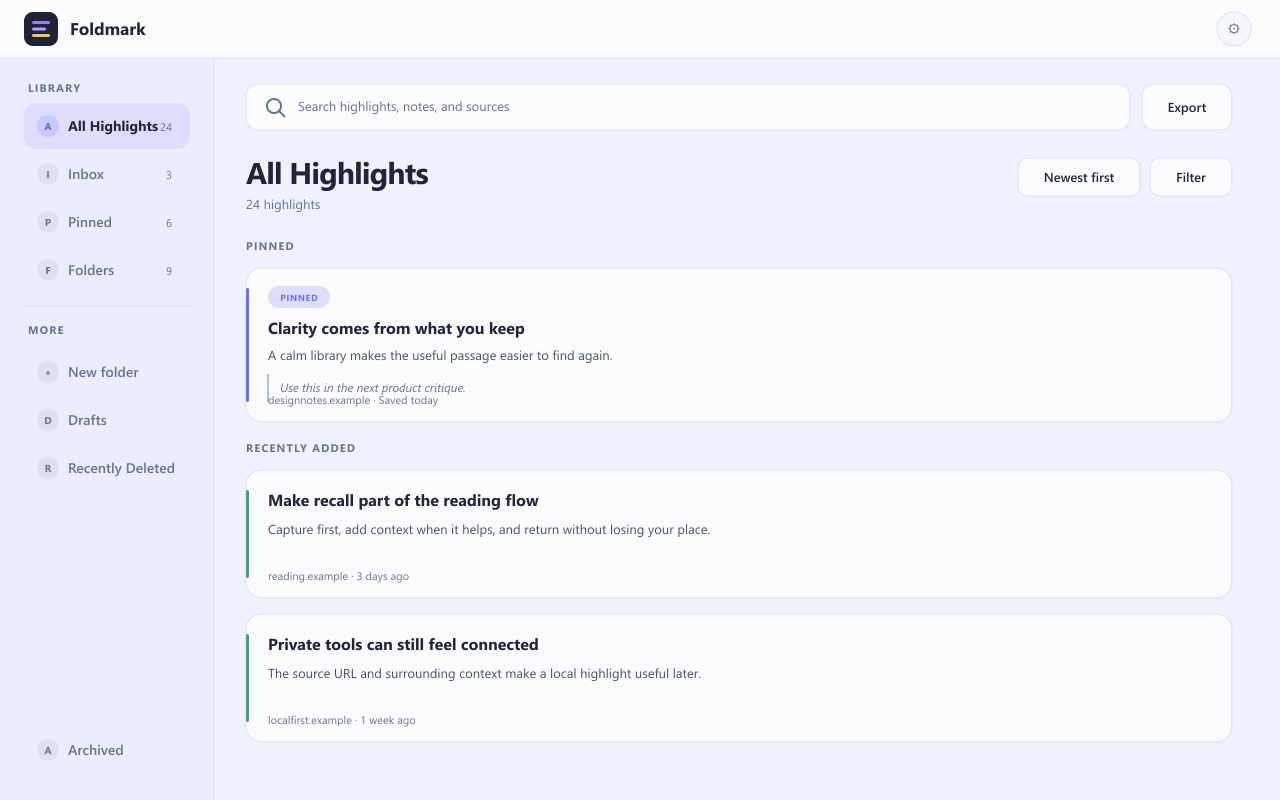
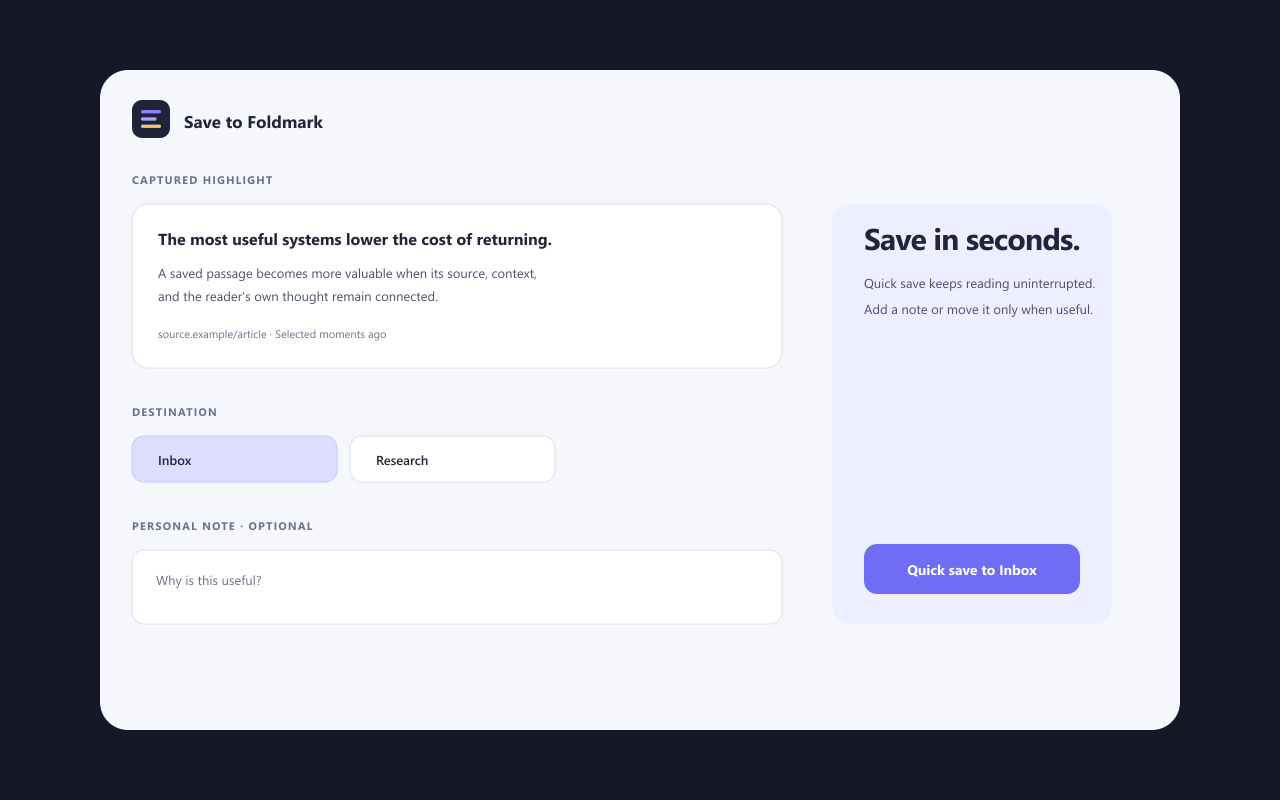
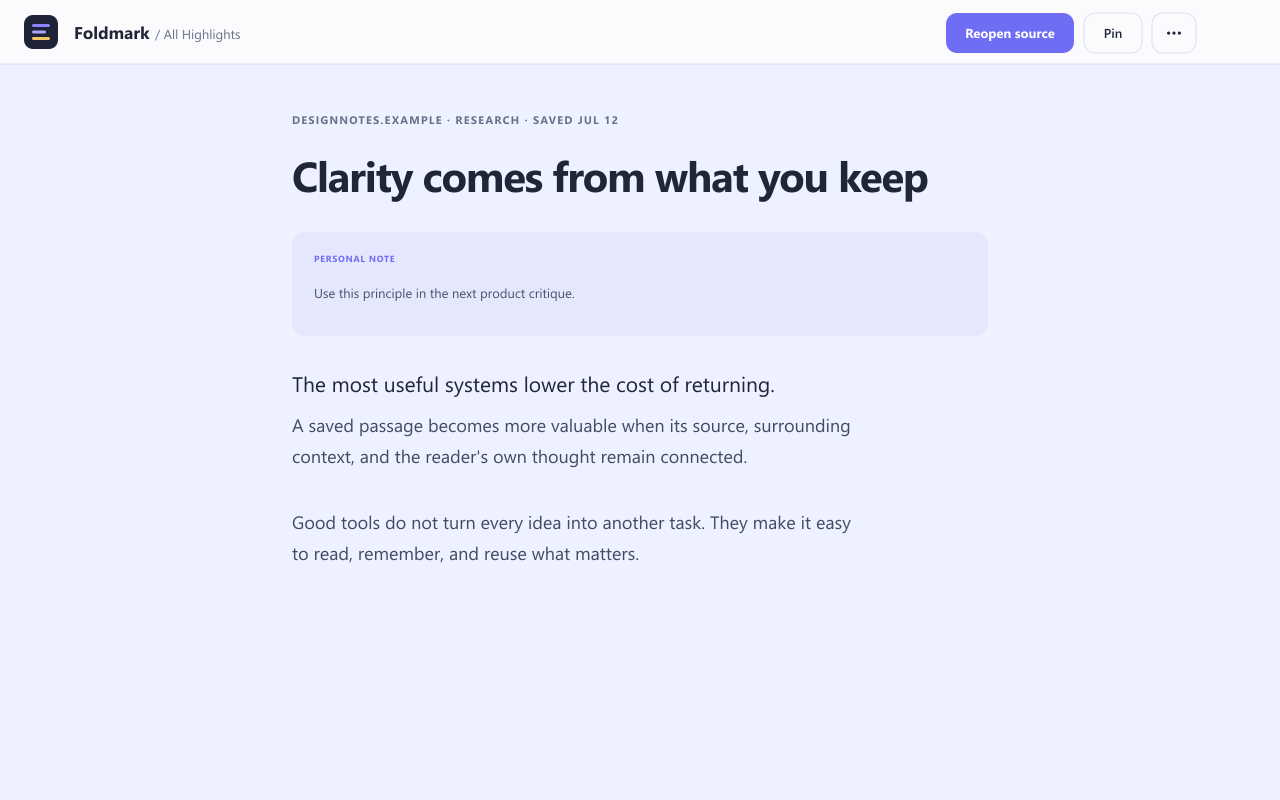
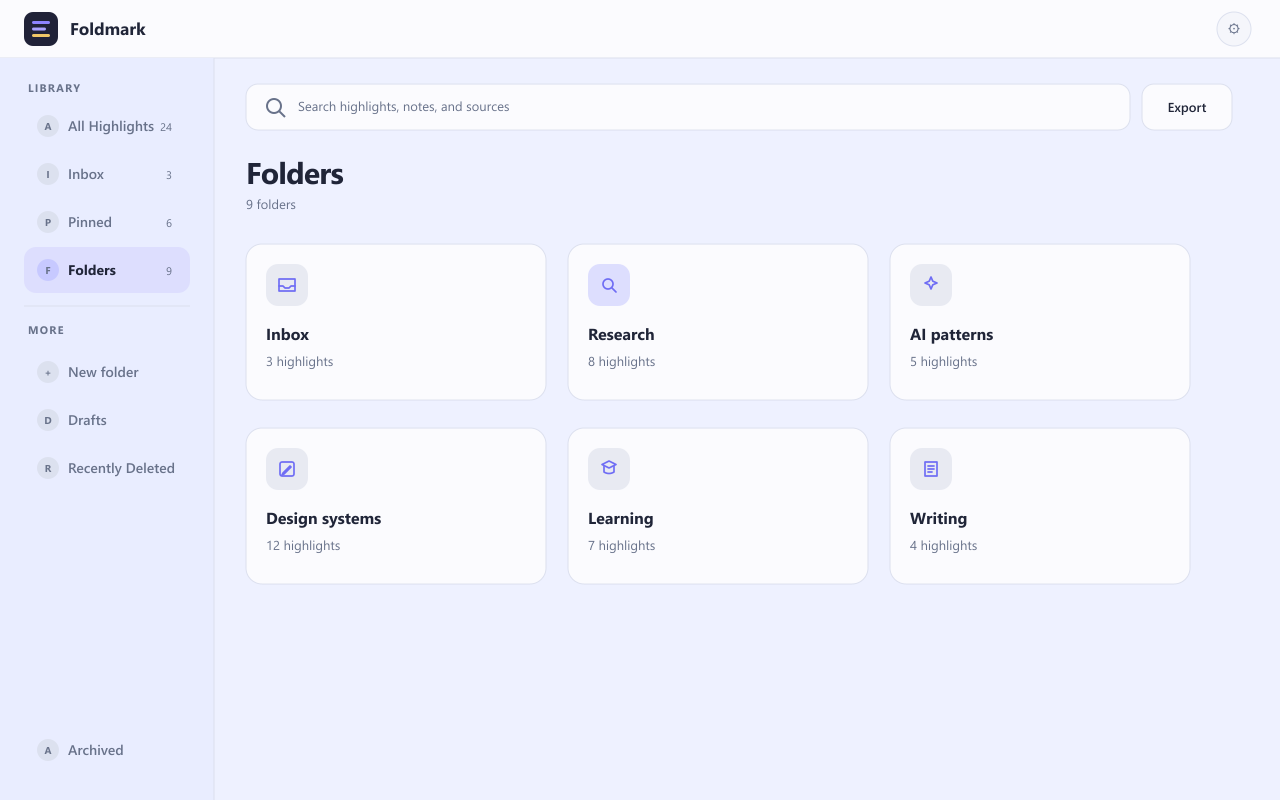
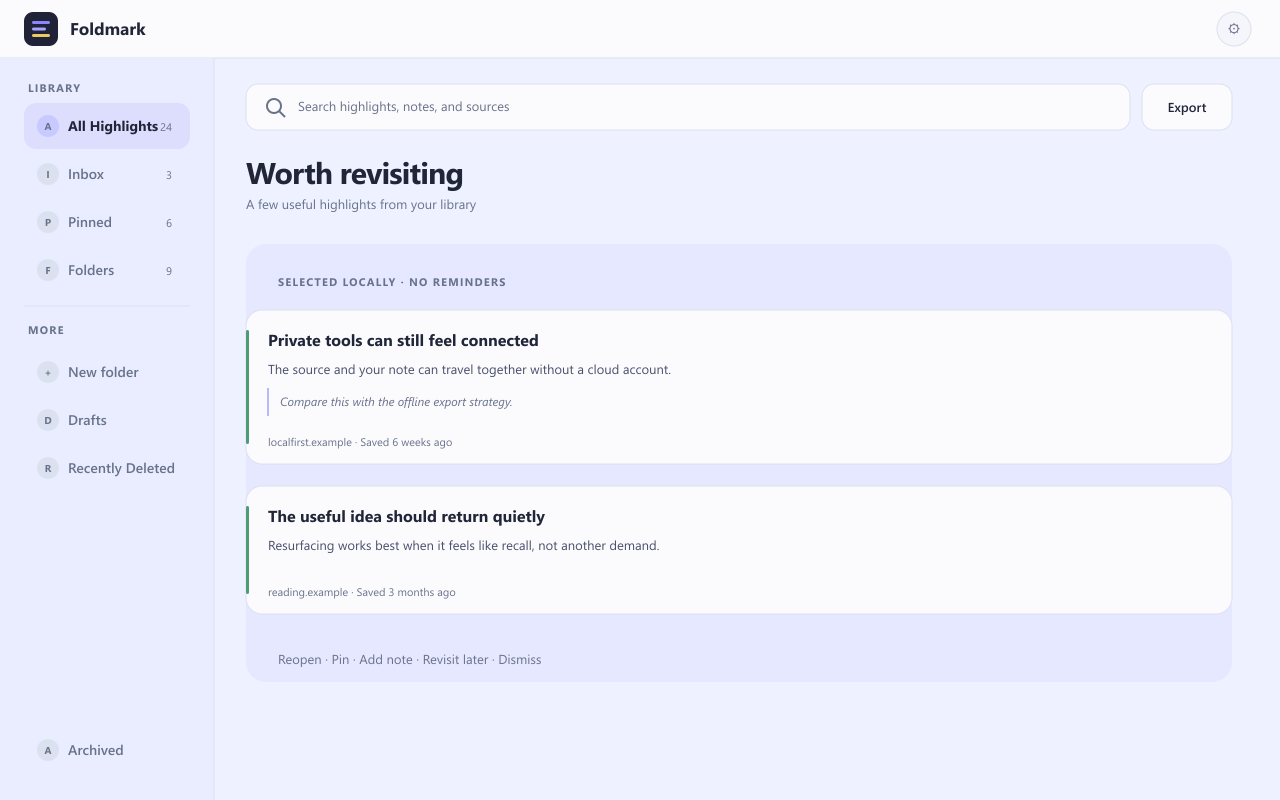
Designed for capture speed and reliable recall without visual clutter.
Save highlighted text instantly from any webpage with one right-click action.
Browse All Highlights, keep important passages Pinned, and move older material to Archived.
Find by title, domain, saved text, folder, and notes instead of scanning endless bookmark lists.
Export highlights and folders, or create a complete backup that preserves your library metadata.
Jump back to the original page to verify details, continue reading, or capture adjacent ideas.
Your saved highlights and notes stay on your device by default, with optional features only when chosen.
One tool for quick capture and dependable recall across personal and professional reading.
Keep important prompts, summaries, and generated plans in a searchable local-first library.
Capture quotes and findings from articles, blogs, and docs, then organize highlights by project or topic.
Save useful snippets from tutorials so you can revisit techniques without reopening dozens of tabs.
Store client insights, specs, and decisions with their source and your own note.
Turn scattered reading into a calm library that is easy to search, revisit, and trust later.
Move from link dumping to meaningful capture with passages, notes, folders, and full-text recall.
Foldmark is built to earn trust before install: local-first storage, no required account, and optional analytics only after explicit consent.
You can save highlights, organize folders, add notes, and search your library without creating an account.
Saved highlights, titles, notes, folders, library state, and settings stay on your device by default.
Analytics events do not include raw highlight content. Only non-sensitive product metadata is used when analytics is enabled.
Remote analytics upload is off by default and can be enabled or disabled at any time in Settings.
Short answers for common capture and organization questions.
Yes. You can save highlighted text directly from the right-click menu and keep it organized in Foldmark.
Yes. Foldmark is a no account note app with local-first storage by default.
Yes. Capture both in one searchable library, pin what matters, and archive older material without losing it.
Capture useful text from any page, add your context, and find it again — without an account or cloud library.
Your saved content stays on this device. Optional analytics never includes it.